
Google Photos for Your Wedding: Practical, Free, and Universal
- #weddings
- #wedding trends
- #wedding planning
Google Photos is one of the most convenient and well-known options for creating a shared photo album.
Why choose it?
- It is free.
- It works on both Android and iPhone.
- It offers 15 GB of storage.
- Unlike other apps, it doesn’t require your guests to download anything.
Below we explain how you can create it from the web or directly from the Google Photos app!
How to create a shared Google album from the web
1. Create a new Gmail* account so you get the full 15 GB. To do so, go to accounts.google.com/signup
* If you already have a Gmail account with enough space, you can skip this step and go directly to the next one.

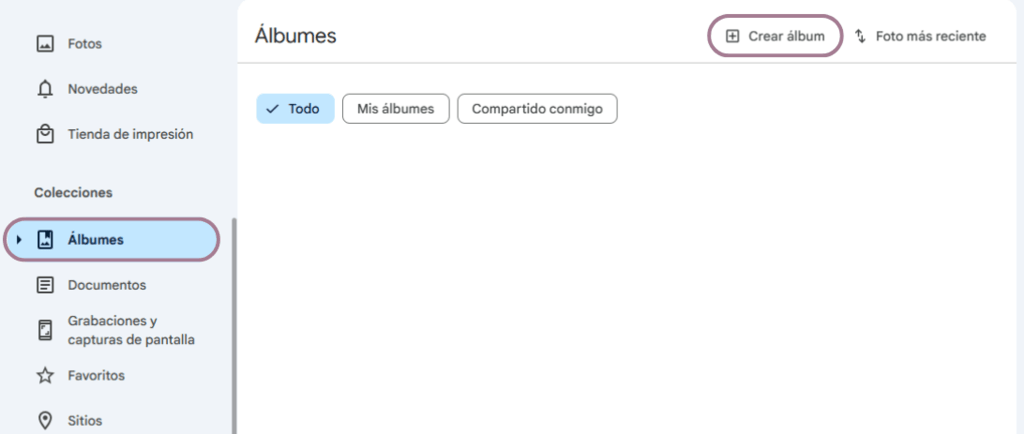
2. Sign in at photos.google.com using the new account. Click on Albums in the left sidebar, then select Create album at the top.
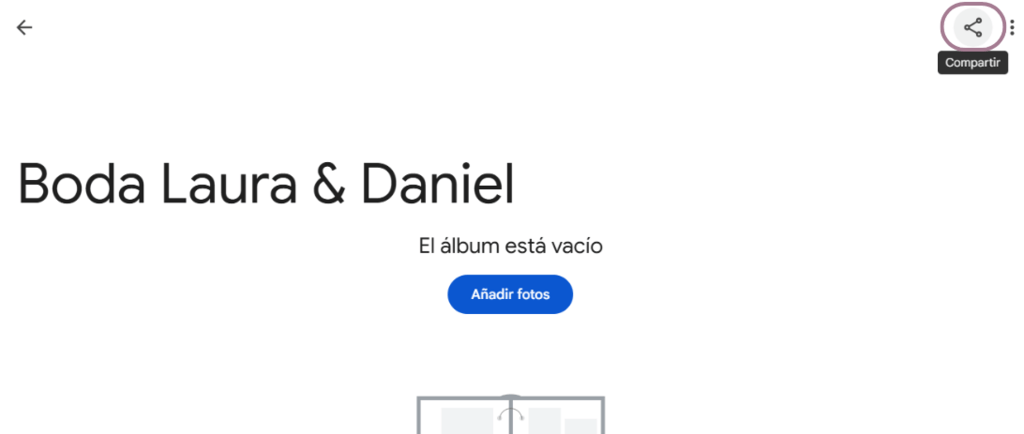
3. Give the album a name and click the Share button.
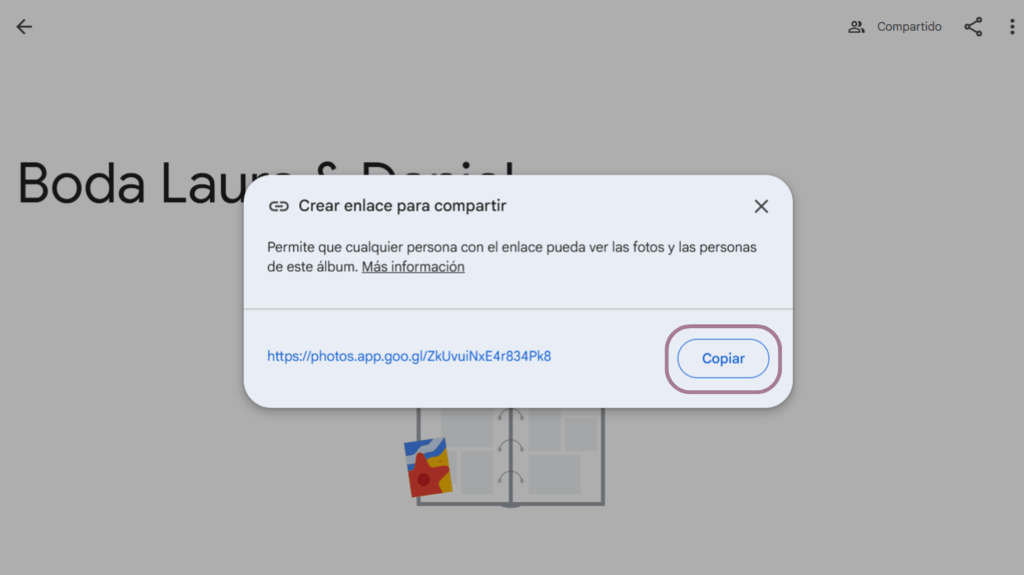
4. Click Create link to generate a shareable link.

5. Click Copy to copy the created link to add it to your digital invitation.
How to create a shared Google album from the app
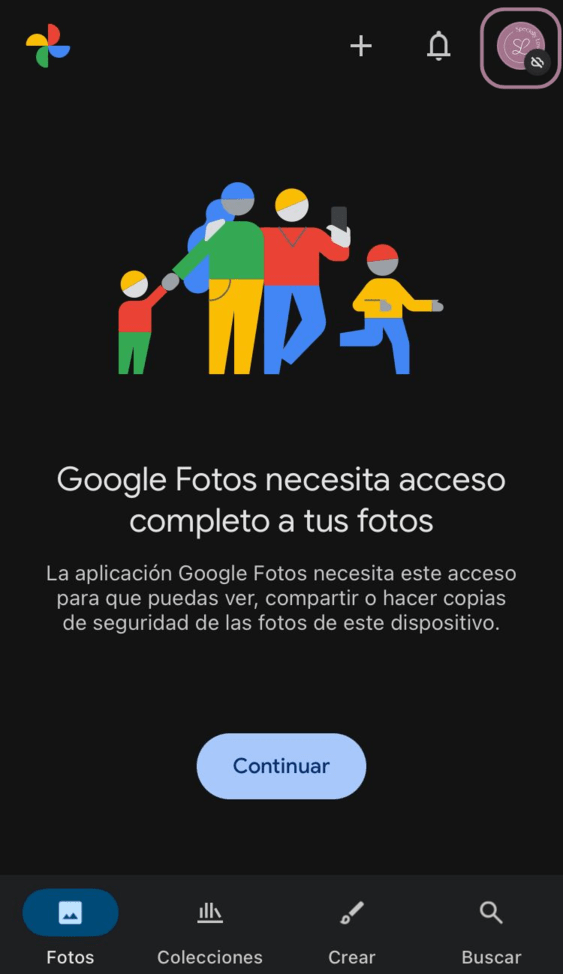
1. To create a new Google account, tap your Google profile photo at the top right, open the dropdown next to your account, and select Add another account.

2. Then tap Use another account and then Create account.

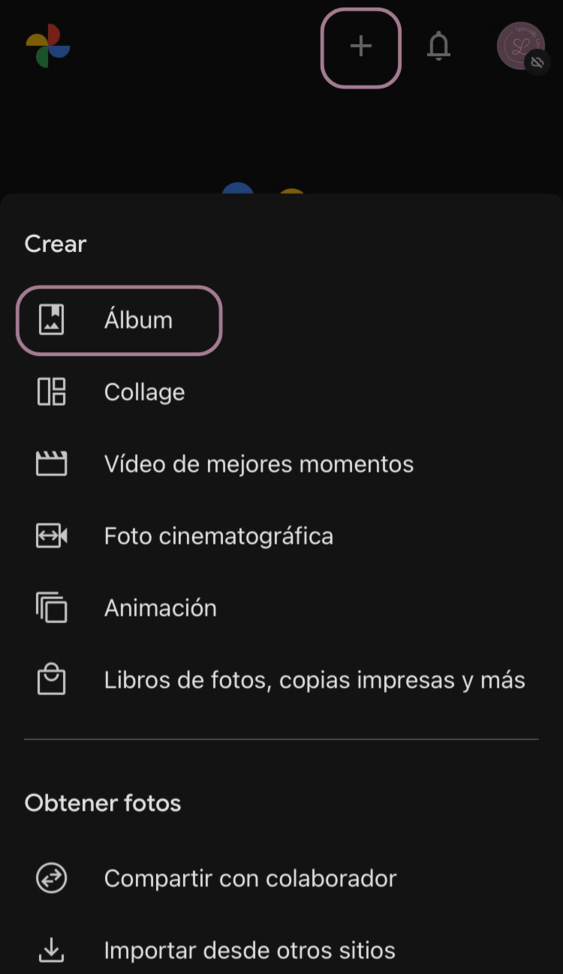
3. Once your new account is ready, tap the plus icon at the top right and select Album.
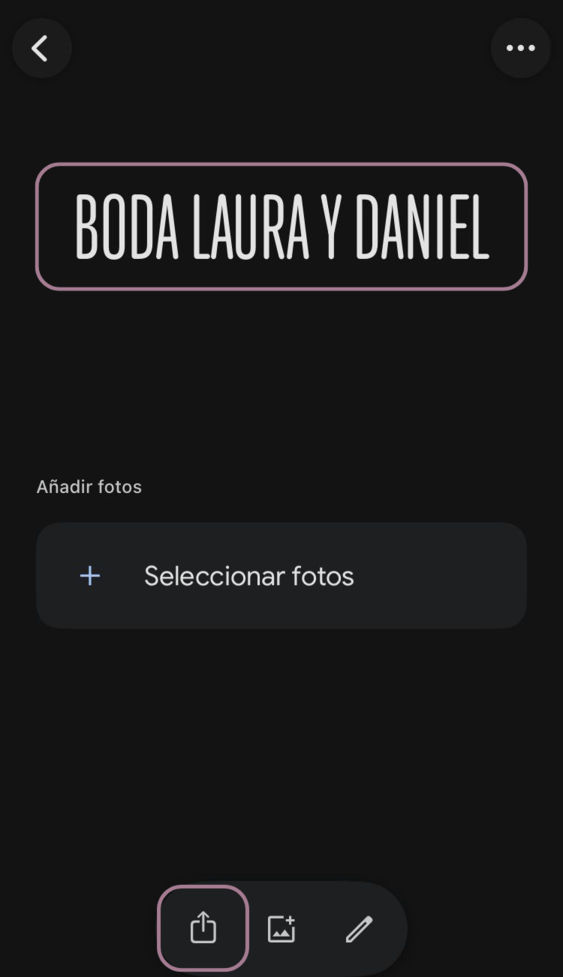
4. Give your album a name and tap the Share button at the bottom of the screen.
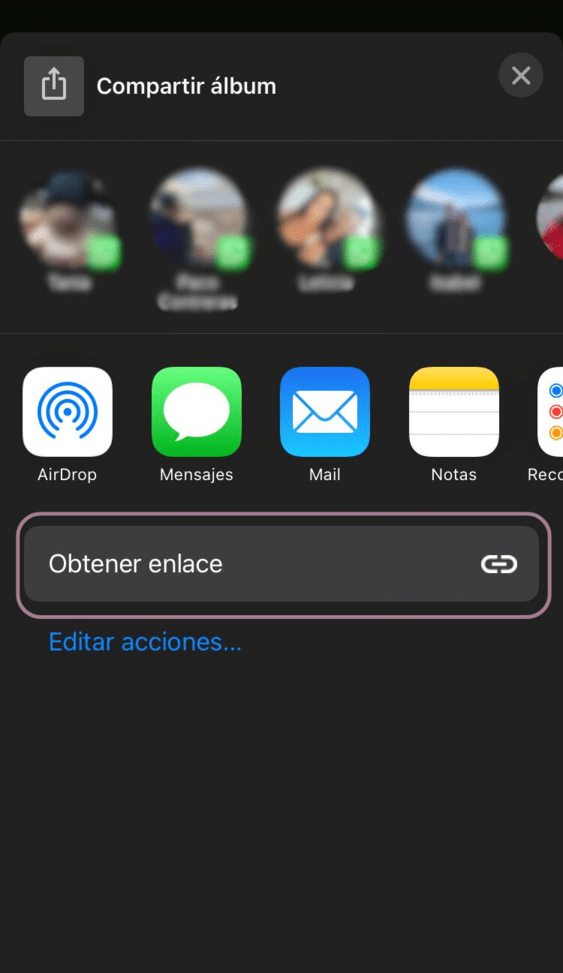
5. Tap Get link and ready! You have a shareable link (URL) to your Google album.
Remember!
Make things easy for your guests so they don’t hesitate to upload all the photos and videos they take on your special day.
Alternative shared wedding album apps
If you don’t feel convinced by the Google option or want to see what else is available on the market, take a look at these other alternative shared wedding album apps before deciding.