
Create your digital wedding invitation for free
Design and try your digital wedding invitation for free, with no card and no sign-up needed to start. Personalise it with your details, photos and music. You only pay €69 if you decide to activate it and send it to your guests.
Discover how to manage your guests, RSVPs and much more from a single platform.


- Easy and quick to customize
- Ready to share via WhatsApp
- RSVP and guest management
- No sign-up required
+ 800 couples have trusted Specially Love


We won’t tell you—our couples will. 💛
Read all their reviews on:
What you can do for free and what activation unlocks
Free draft, no account
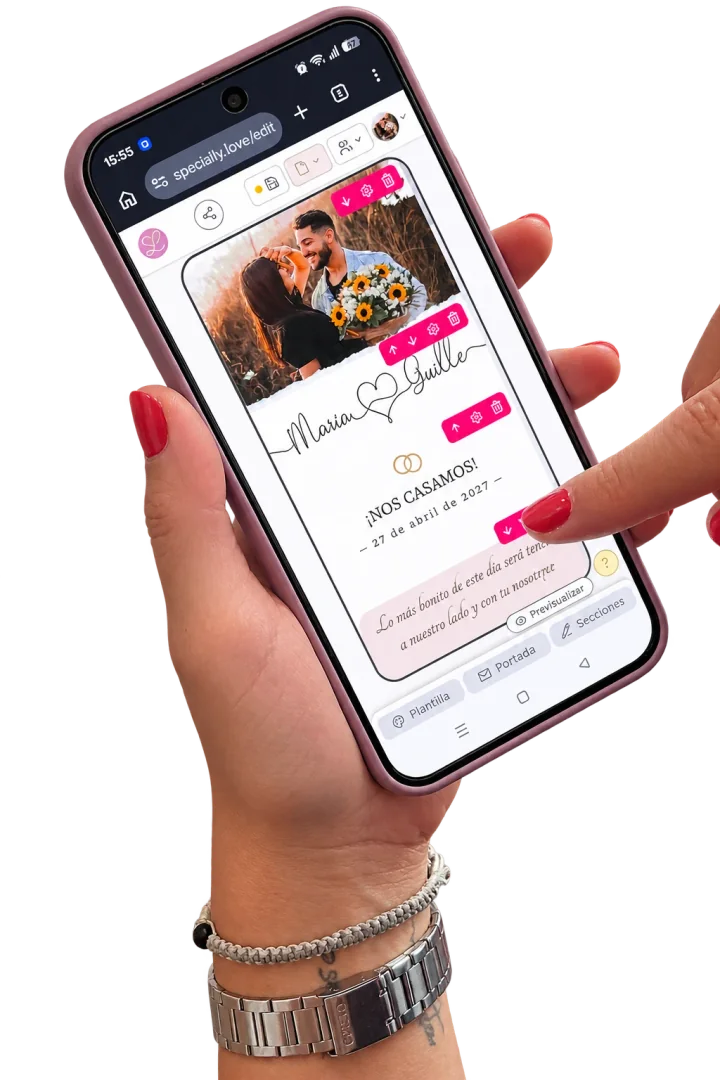
- Choose the model and edit texts, colours and sections
- Upload your photos and choose the music
- Customise the animated envelope
- See the preview on a phone
Activated
€69, one-time payment
- A link to share it by WhatsApp or email, with unlimited sends
- RSVP from your guests
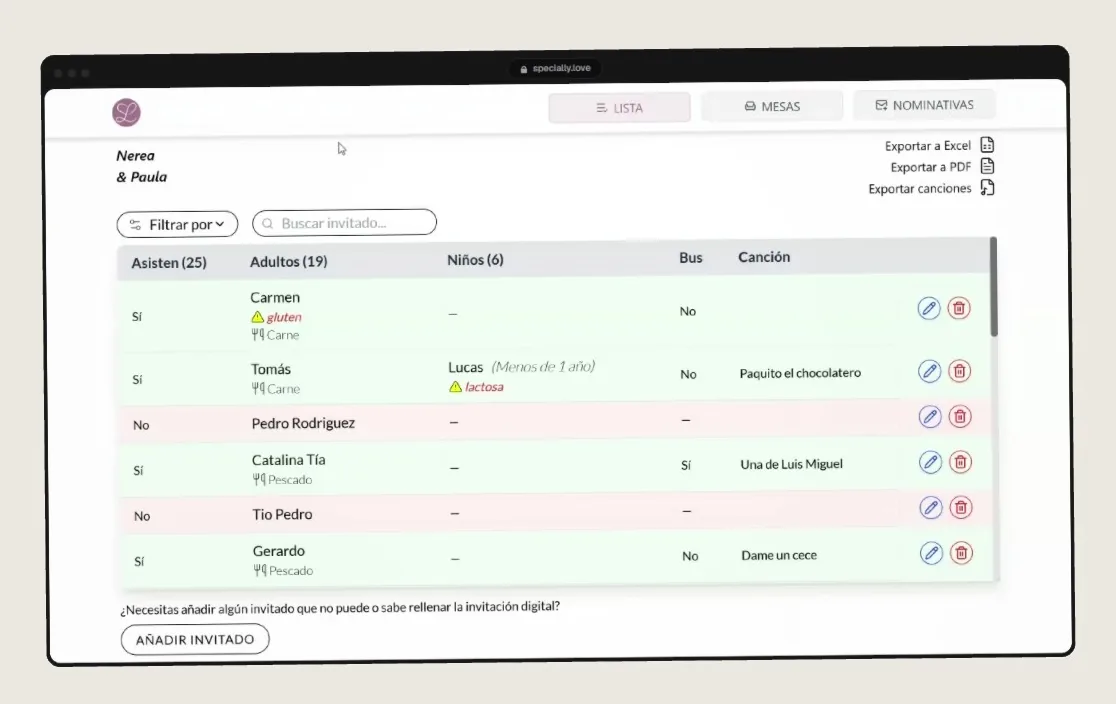
- Guest management: menus, allergies and export to Excel
- Seating plan
- Personalised invitations, with a link for each guest
- Custom illustrations and photo enhancement, with 20 generation attempts
It is a one-time payment, not per guest. If you neither activate nor edit the draft for 7 days, it is deleted.
Custom illustrations and photo enhancement
Once activated, you can turn your photos into watercolour illustrations or enhance photos of the venue, on most models. You get 20 generation attempts.






How to create your invitation step by step
- 1
Fill in the form
Enter your name and your partner's, the date and time, the time zone, the language and the model. No account needed.
- 2
Customise it in the editor
Upload your photo, change texts, colours and sections, and choose the music and the envelope. The draft is ready in under a minute and making it yours takes about 10.
- 3
Check how it looks on a phone
The preview shows the invitation exactly as your guests will see it.
- 4
Activate and share it
To activate it you sign in and pay €69, just once. Then you send the link by WhatsApp or email.
What you can customise and which sections to include
You start from a model and adapt it to your wedding: change whatever you like and turn on only the sections you need. For ideas, see our guide to customising wedding invitations.
Design and cover
- Animated envelope, with the colour and seal you choose
- Names and wedding date
- Colours, fonts and icons
- Your photos
- Background music when it opens
- Texts in your own words (here are some wording ideas)
Information about the day
- Ceremony and reception, with their location on the map
- Schedule of the day
- Dress code
- Countdown
Logistics for your guests
- Buses, with times and stops
- Parking
- Recommended accommodation
- Your contact details or your wedding planner's
Photos and extra moments
- Gallery with your photos
- Shared album with a QR code so guests can upload their photos
- Pre-wedding
- Post-wedding
Guest management once activated
Once activated, you get a panel to organise your guests with their replies:
- RSVPs in real time
- Each guest's menu, allergies and intolerances
- Songs your guests suggest for the party
- Seating plan with the guests who have confirmed
- Guests added by hand if they do not fill in the form
- Export to Excel, and the seating plan as a PDF
How to share it: WhatsApp and email
By WhatsApp
You can prepare the invitation for free; to send the link by WhatsApp you need to activate it (€69, unlimited sends). Paste it in a chat or a group and your guests open it with one tap. More in our guide to WhatsApp wedding invitations.
By email and other channels
The same link works by email, SMS or social media, for anyone who prefers a computer.
Make it yourself or have us design it?
Do it yourself
You decide the texts, photos and sections, at your own pace, and it is ready instantly. You pay €69 when you activate it, with no fees or guest limits.
Create my draftWe design it
You fill in a form and our team prepares it with advice and unlimited revisions, within 7 working days, for €109.