
Best digital wedding invitation platforms in 2026

- #digital invitations
- #wedding planning
Which platform should you use for your wedding invitations? There are dozens to choose from. Some are free, some charge a fee, and some let you choose between designing your own invitation and working with a designer. Start with how much you want to do yourself and what you’ll need after you send the link, from collecting RSVPs and planning tables to reaching guests who speak different languages.
Here’s where to start based on what you need.
- A free option: try Joy or Zola for a wedding website, Bodas.net if you’re planning in Spain, or Canva for an image or PDF.
- A small wedding on a free plan: Mi Boda Fácil allows up to 50 RSVPs.
- A DIY invitation with a one-time payment: Saventify, Invitatis, Sponsalia, or Specially Love. Prices start at around €65 across these options.
- An invitation made for you: look at custom design from Saventify or Sponsalia, or the Specially Love design service.
- Printed invitations: Bodapix in Spain, Faire-part.com in France, or Invitichic in Italy.
- An image or PDF to share: Canva.
We’re Specially Love, and we’re included in this comparison. We looked up each platform on its official website and recorded when we checked. We also point out when another platform may suit you better.
12 wedding invitation platforms compared
The platforms are listed alphabetically. We checked list prices on November 22 and 23, 2026, and left them in the currencies shown by each provider.
| Platform | Based in | What it offers | List price | Try before paying? | DIY | Design service | Seating chart |
|---|---|---|---|---|---|---|---|
| Bodapix | Spain | Printed and digital invitations | Digital pricing undisclosed. Print from €1.65 each (minimum 25) | Demo for each design and printed samples | Not stated | Yes, with your wording (print) | Print only |
| Bodas.net | Spain | Wedding website within its planner | Free. Premium pricing undisclosed on the website page | Free | Yes | No | In the account’s planner |
| Canva | Australia | Design tool (image, PDF, video) | Free and paid plans | Yes | Yes | No | No |
| Faire-part.com | France | Printed invitations | Prices undisclosed on the homepage | Two free printed samples | Yes, in its editor | Not stated | Print only |
| Invitatis | Not stated | Wedding website with online RSVP | €75 one-time payment | Yes, pay when you publish | Yes | Not stated | Yes, CSV export |
| Invitichic | Italy | Printed invitations | Prices undisclosed on the homepage | Free digital proof | Yes, from a template | They prepare the proof | Not stated |
| Joy | US | Wedding website, digital invitations, and planner | Free with optional paid upgrades | Free | Yes | No | Yes, PDF export |
| Mi Boda Fácil | Spain | Wedding website with online RSVP | Free, €29, or €49 | Free plan | Yes | Not stated | With paid plans |
| Saventify | Not stated | Digital invitation with online RSVP | €67 one-time payment. Custom design on request | Yes, pay when you publish | Yes | Yes, on request | Yes, in 3D |
| Specially Love | Spain | Digital invitation with online RSVP and planning tools | €69 DIY or €109 designed by us | Yes, free draft without an account | Yes | Yes | 2D and 3D, PDF export |
| Sponsalia | Italy | Digital invitation with online RSVP | €89, €149, or €249 (custom design) | Yes, free preview | Yes | Yes, custom plan | AI seating assistant on the custom plan |
| Zola | US | Wedding website, invitations, and planner | Free website. Custom domain from $17.99 | Free | Yes | Not stated | Yes |
“Not stated” means we couldn’t find the detail on the official website. Ask the provider directly if you’re counting on that feature.
Decide what kind of invitation you need
A wedding invitation can be anything from a PDF to a website with a guest dashboard. Compare the work each option handles for you along with the price.
- DIY digital invitation. Pick a design, edit the text and photos, and share a link. Guests RSVP right there and you see the replies in a dashboard. There’s usually a one-time payment.
- Invitation designed for you. You send the details and the team prepares a version for you to review. You pay more for the time you save and for a designer’s input.
- Wedding website or planner. Invitations sit alongside other tools, such as a gift registry, budget tracker, or vendor directory. Many are free or offer a limited free plan.
- Printed invitation with an online proof. Personalize it online and receive printed copies. It’s a lovely option to hand out in person, and you’ll collect RSVPs separately.
- Design tool. Create an image or PDF exactly the way you want it and arrange a separate way for guests to reply.
Many digital invitations double as a wedding website, with all the details of the day and a place to RSVP in one link. Here’s what a wedding website can include.
If you’re deciding between screens and stationery, compare digital and traditional wedding invitations. You can also have both, as with the Specially Love digital and paper pack.
What each platform offers
Each profile covers what we found on the official site, who it suits, and what to check before paying. The pages we consulted are linked at the end.
Bodapix
This Spanish stationery shop has a physical store in Jerez de la Frontera. It sells printed and digital invitations, with matching menus, seating plans, and table numbers. Each digital design has a demo and includes online RSVP, a customizable link, unlimited sharing, and sections for maps, hotels, transport, and dress code.
A good fit if you want matching paper and digital invitations. Check first what the digital version costs, how you can customize it, and whether it offers personal guest links or a digital seating chart. These details aren’t listed.
Bodas.net
The Barcelona-based company offers a free wedding website. RSVPs sync with the guest list in its planner, which also includes a seating chart. The premium version adds exclusive designs and removes the Bodas.net logo. Its price isn’t listed on the wedding website page.
A good fit if you’re already using Bodas.net to find wedding vendors in Spain and want to keep everything in one account. Check first whether you’re happy with its branding and what it costs to remove it.
Canva
Canva is an Australian design tool. It gives you plenty of freedom to design an invitation and download it as an image, PDF, or video. Guest management sits outside the tool.
A good fit if you need a save-the-date image or a design to send alongside another invitation. Check first how you’ll collect RSVPs, whether through a separate form, messages, or another platform.
Faire-part.com
Based in Aix-en-Provence, this French stationery shop makes printed invitations, save-the-dates, reply cards, menus, and seating plans. You personalize your stationery online, see a proof straight away, and can request two free printed samples. We didn’t find digital invitations or a wedding website on its site.
A good fit if you’re getting married in France or have lots of French guests and want a paper invitation. Check first how you’ll collect replies. Its RSVP cards are printed.
Invitatis
Invitatis provides a wedding website with online RSVP for plus-ones, dietary requirements, and comments, as well as a seating chart you can export to CSV. You build it for free and pay €75 to publish. It offers eight languages, including English, Catalan, Galician, and Basque. You can export RSVPs to PDF or Excel.
A good fit if some of your guests read Catalan, Galician, or Basque. Check first whether you can make a personal link for each guest and how long the site stays online. The provider doesn’t specify either.
Invitichic
This shop in Bari, Italy, specializes in printed wedding invitations and stationery. Customize a design online and it sends a free digital proof in 7 to 10 business days. You pay once you approve the proof. The invitation itself is printed, and you’ll manage RSVPs separately.
A good fit if you’re getting married in Italy or want invitations printed there. Check first your timeline, since the proof takes about one to two weeks, and how you’ll collect replies.
Joy
Joy is a US platform with a free wedding website, digital invitations, online RSVPs, a gift registry, a mobile app, and a seating chart. You can download the layout as a PDF and export table assignments and meal choices to CSV. There’s no guest limit. Joy earns money through its registry and charges for optional upgrades such as custom domains and premium designs.
A good fit if you want a free planner with a gift registry. Check first what language guests will see. The official site doesn’t specify the language options for invitations.
Mi Boda Fácil
This Seville company offers a wedding website with an animated invitation, RSVPs, and a shared gallery. The free plan covers 50 RSVPs. Standard (€29) and Plus (€49) remove that cap and add seating tools and Excel export. The site stays online for 6 to 12 months after your wedding depending on the plan, with a paid renewal option.
A good fit if you’re on a tight budget and want the website to stay up for months after the wedding. Check first whether you expect more than 50 RSVPs, which would put you on a paid plan.
Saventify
Saventify charges a one-time €67 fee to publish. You can start designing for free with no card. It includes online RSVP, a personalized link with each guest’s name, Excel export, unlimited guests, and a 3D seating chart. Custom design is available on request. The provider doesn’t state where it’s based.
A good fit if you want a one-time payment and a 3D seating chart. Check first which languages you can use and how long the invitation stays live. The site mentions several languages without listing a number or a hosting period.
Specially Love
That’s us, based in Spain. You can make your invitation in the editor, with a free draft and no account, and pay €69 when you activate it. Or our team can design it for €109, with delivery in 7 business days (or an express option in 48–72 hours) and unlimited revisions. Both options include unlimited sharing, online RSVP, personal guest links, Excel export, and a 2D and 3D seating chart with PDF export.
A good fit if you care about design and want the choice to do it yourself or work with us. Check first that the timing works for you. The invitation stays active until one month after your wedding, and each additional language costs €10.
Sponsalia
This Italian platform offers digital invitations for a one-time payment, with a free preview. Collection (€89) includes live RSVPs, a personal link per group or an open link, a guest photo album, and 31 languages. Destination Wedding (€149) adds unlimited event days and accommodation details. The custom plan (€249) includes a design made for your wedding, delivered in 7 business days, and an AI seating assistant.
A good fit if you’re inviting guests from several countries or have a multi-day wedding. Check first which plan includes seating. The site doesn’t make this clear for Collection.
Zola
This New York company offers a free wedding website with more than 600 designs, a guest list with online RSVPs, an event-by-event seating chart, stationery, and a gift registry. A custom domain starts at $17.99.
A good fit if many of your guests are in the US or you want a free wedding planner. Check first what languages are available. The site is in English and doesn’t list other invitation languages.
The real cost of a wedding invitation
Work out what you’d actually pay based on your guest list. Take a wedding with 120 guests where some read English and others need a second language.
- Joy and Zola: the site and RSVPs are free. Check what language your guests will see.
- Mi Boda Fácil: if you expect more than 50 RSVPs, you’ll need Standard (€29).
- Saventify: €67. Ask whether both languages are included, as the site doesn’t specify how many you get.
- Invitatis: €75, with English among the eight supported languages.
- Sponsalia: €89, with languages included in Collection.
- Specially Love: €69 to activate your DIY invitation in one language. Each additional language is €10.
These limits and extras can also affect what you end up paying.
| Platform | Limit or extra to check | Online after the wedding |
|---|---|---|
| Bodapix | Digital invitation pricing isn’t published | Not stated |
| Bodas.net | Bodas.net logo on the free version | Not stated |
| Faire-part.com | Print only. Collect RSVPs separately | Not applicable |
| Invitatis | Check whether you can give guests individual links | Not stated |
| Invitichic | Print only. Proof takes 7 to 10 business days | Not applicable |
| Joy | Custom domains, messaging, and premium designs cost extra | Not stated |
| Mi Boda Fácil | 50 RSVPs on the free plan | 6 to 12 months, depending on plan |
| Saventify | Number of languages isn’t specified | Not stated |
| Specially Love | €10 per additional language | One month |
| Sponsalia | Seating confirmed on the custom plan only | Not stated |
| Zola | Paid custom domain from $17.99 | Not stated |
Factor in your time, too. With DIY you pay less and do the editing yourself. With a design service, you fill out a brief and someone else builds it. Our guide to managing wedding guests covers what comes next, from guest lists and RSVPs to seating.
How to test a platform before paying
Check four things before committing to a platform. Try it as a guest, look for independent reviews, see who runs it, and take a close look at its designs. A quick look at the homepage tells you little about these details.
Try it as a guest in 10 minutes
Open a demo and go through the same steps a guest will take, then check what you’ll see as the host.
- Open a demo on your phone. That’s how most of your guests will see it.
- Send it to yourself on WhatsApp and look at the link preview. It’s the first thing guests see in the chat. Here’s how to send your wedding invitations on WhatsApp.
- Submit a test RSVP with a plus-one and a food allergy. Count how many steps it takes.
- Look for personal guest links that include the guest’s name and the number of people you’ve invited. That keeps replies within the intended party size.
- Open the dashboard and check whether you can find the reply, filter it, and export it to Excel.
- Find out how to add someone manually for the guest who replies by phone or an older relative who won’t open the link.
Try opening an invitation on your phone or see how the couple sees guest replies and the seating chart.
On the left, a guest adds an allergy in the RSVP form on her phone. On the right, the couple’s dashboard shows the list, filters, and seating tools. The demo is in Spanish.
A test like this can show what a standard template leaves out. Laura and Pere wanted an elegant invitation they could share easily in Spanish and Catalan, with a printed keepsake for their closest guests. The RSVP form helped them spot two guests with coeliac disease they hadn’t known about. When the bus schedule came through, we updated it at the same link. Their printed invitations had a QR code that opened the digital version.
Rubén and Melissa, the first couple we worked with, needed a different set of questions. Children weren’t attending. They did need to know who would take the bus, and used the replies to decide how many buses to book. When testing an RSVP form, look at whether you can remove questions that don’t apply and add the ones you need.
Look for independent reviews
Providers choose which reviews to feature on their own sites. Search for the company by name on sites where it doesn’t control what gets published.
- Google. Check the business profile for the number of reviews and when they were posted.
- A wedding directory in your country. This is where couples often review the vendors they hired. Bodas.net is one example for Spain.
- Trustpilot or another review site if the company has a profile there.
Look for reviews spread over time, concrete details about the design or a problem the team solved, and replies from the company. Be careful if nearly all reviews appeared in one month, say things that could apply to any business, or only appear on the provider’s site. A newer platform may still suit you. Knowing who’s handling your invitation can make the decision easier.
Check its social accounts
Scroll back to the earliest Instagram or TikTok posts to see how long the account has been active, then look at what it posts and who comments.
- Real weddings. Look for invitations with a couple’s names and date, alongside any demos and ads.
- Comments from real people. Couples and guests ask specific questions or say thanks, and their accounts have activity of their own.
- Replies from the team. See whether they answer questions and how they talk to people.
A recent account full of catalog images or comments like “So pretty!” from empty profiles gives you little sense of how the team works.
Find out who runs the platform
The company will host your invitation for months. If something goes wrong in the week of the wedding, it’s the team you’ll contact. Before you pay, see who they are and how they respond.
- Who’s on the team? Look for an About page with names, photos, and roles.
- How can you reach them? Check whether they list WhatsApp, a phone number, or an email address alongside any contact form or automated chat.
- Who replies? Ask a real question, such as how to add a guest who doesn’t use a smartphone. See how long the reply takes and whether it answers your question.
- Where else do they show up? Look for team members on social media, at wedding fairs, or in interviews.
The invitation is your guests’ first glimpse of your wedding. It’s worth finding someone who understands what you want and will be there if you need help.
Look for designs with their own style
More invitations and websites are being generated with AI. Some telltale signs are emoji-heavy copy, mismatched icons, fonts that change for no reason, and layouts that could be for any wedding. Open two or three designs from each platform and look for these details.
- Consistency. Do the icons, illustrations, typefaces, and colors feel like they belong together?
- Character. Can you tell a vintage design from a minimalist or watercolor one without looking at the color?
- Copy. Does the sample sound like a person wrote it? Look out for strings of emojis and stock phrases.
- The platform’s own site. Attention to detail there can give you a sense of how its invitations will look.
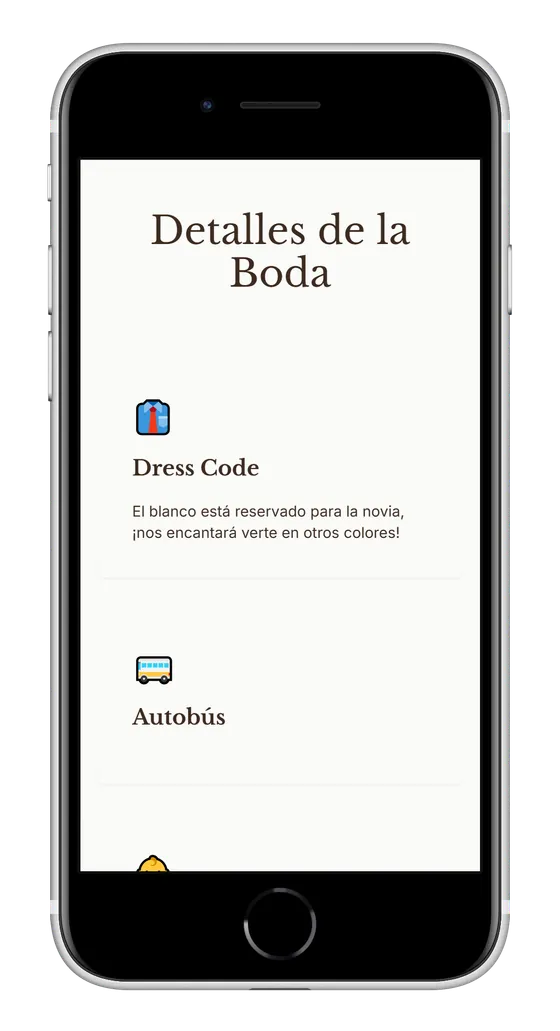
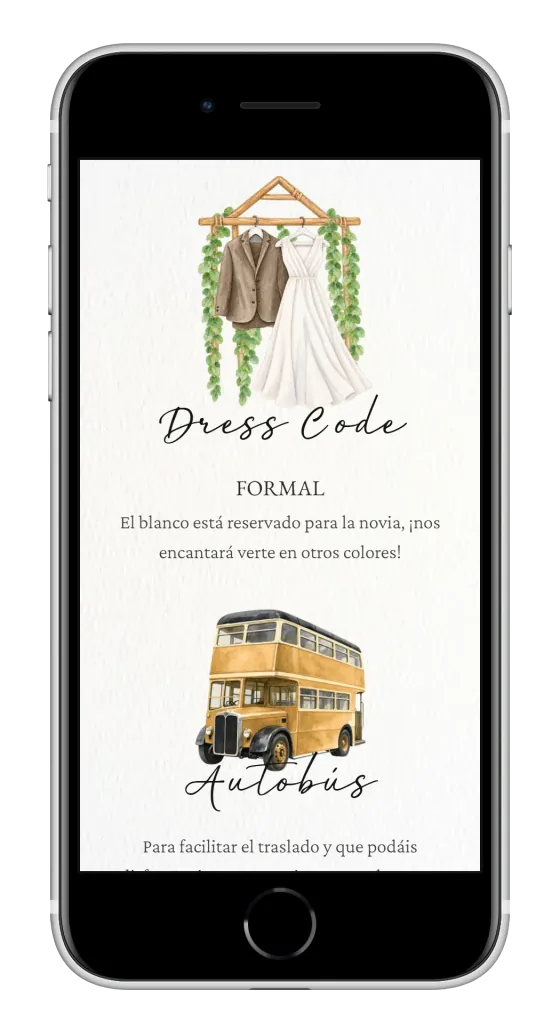
Who Specially Love suits, and when to look elsewhere
Specially Love suits couples who want a design that feels like them and guest management tools with a 2D and 3D seating chart. You can try the DIY editor with your own details for free, or have us design it with you. More than 800 couples have used it. Here are some of their reviews.
You can put us through the same checks we’ve suggested for the other platforms.
- Independent reviews: 379 reviews from couples across Bodas.net, Google, and Trustpilot. We also received Bodas.net Wedding Awards in 2025 and 2026.
- Real weddings on social media: we share invitations from actual weddings on Instagram, where couples and their guests comment.
- People you can talk to: we’re Guille and María. We create the designs and answer your questions ourselves, whether you use the editor or ask us to make your invitation. We met couples in person at the Tu Boda Meeting Point fair in November 2024. Meet the team.
- Designs with character: our team reviews the icons, typefaces, and colors in every design. If a model is vintage, you’ll see it in the details. Try comparing a few designs.

A different platform may be a better fit in these situations.
- You want a free option. Try a site from Joy, Zola, or Bodas.net, or Canva if an image is enough.
- You need the invitation to stay up for months after the wedding. Mi Boda Fácil lists 6 to 12 months. We keep it up for one month.
- You need several languages. Sponsalia includes languages in its Collection plan. With us, each additional language costs €10.
- You want a planner with a registry or vendor directory. Try Joy, Zola, or Bodas.net.
- You’re looking for printed invitations outside Spain. Try Faire-part.com in France or Invitichic in Italy. In Spain, we also print invitations with our digital and paper pack from €144.
You can start either way or browse all our invitation designs first.
Design it yourself
Pick a design, try it for free with your details, and activate it for €69 when you’re ready to share.
Create my invitationWe design it for you
Send us your details and we’ll design it with you, with unlimited revisions, for €109.
Ask for a custom designFrequently asked questions
What’s the best platform for digital wedding invitations?
If you want a free website, try Joy, Zola, or Bodas.net. For DIY with a one-time payment, look at Saventify, Invitatis, Sponsalia, or Specially Love. If you want to work with a designer, check out Saventify, Sponsalia, or Specially Love. Try two or three on your phone before you decide.
Can I make digital wedding invitations for free?
Yes. Joy, Zola, and Bodas.net offer free wedding websites, and Mi Boda Fácil has a free plan for up to 50 RSVPs. Canva’s free plan lets you share an image or PDF. With Specially Love, you can build and preview your invitation for free and pay when you activate it to share.
What app should I use if I need my wedding invitation quickly?
Try a wedding-specific editor such as Specially Love. The schedule, location, and RSVP form are already in the template. A draft with the basics takes under a minute, personalizing it takes around 10 minutes, and the link is available as soon as you activate it. It runs in your browser on a phone or computer.
With a general design tool like Canva, allow time to choose and design each section and set up RSVPs separately. Try making your invitation for free to see how long it takes.
How do I know if a digital wedding invitation platform is reliable?
Look up the company on Google, a wedding directory in your country, or Trustpilot. Look for specific reviews posted over time and for real couples on the company’s social accounts. See who runs it, ask a question, and check whether a person replies. Compare a couple of invitations to see how much care goes into their designs.
Pages we consulted
We took the details about other platforms from the official pages below, checked on November 22 and 23, 2026. The countries listed for Canva, Joy, and Zola came from public company information. Prices and features can change, so check the provider’s site before paying.